
CTRON Loop
Build the monthly report once.
Upload a spreadsheet and get a finished dashboard or report in minutes. Save the whole workflow as a Loop, and next month it runs again on the new file in one click.
No account or card needed.
The problem
Same report. Same steps. Every month.
The numbers change, the work does not. Hours go into rebuilding something you already built last month.

- Download the export
- Clean the spreadsheet
- Recalculate the totals
- Rebuild the charts
- Rewrite the summary
- Send it round again
With CTRON Loop
Add the new file. Click run.
How it works
Do the work once. Let it loop.
-
Bring your file
Drop in an Excel or CSV export, connect a Google Sheet, or upload a PDF or Word document.
-
Get the finished output
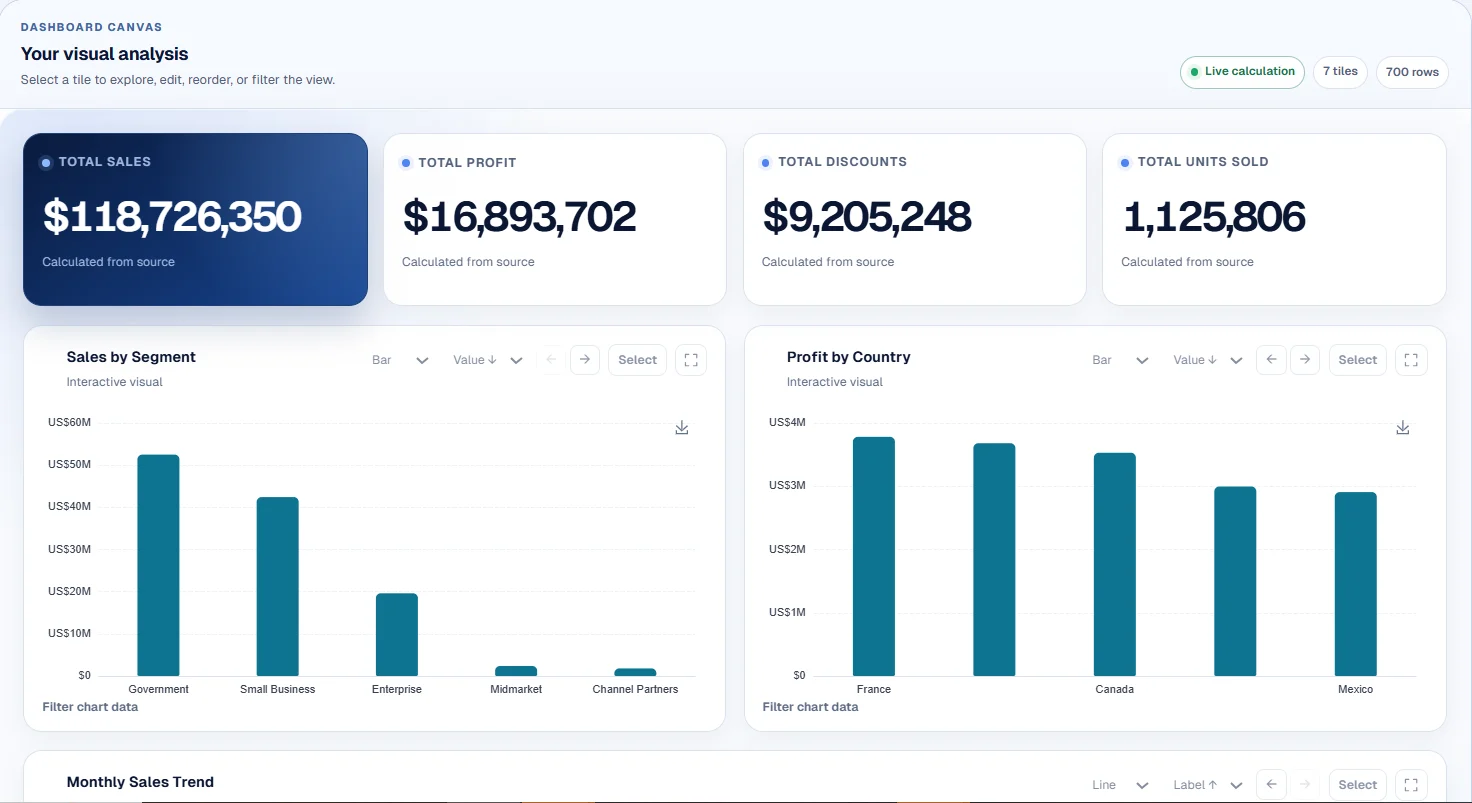
A dashboard with KPIs, charts, filters and breakdowns. A board report. A cleaned spreadsheet. A contract summary with every deadline pulled out.
-
Save it as a Loop
Next month, add the new file and click run. Or schedule it daily or weekly and get the result in your inbox.
Accuracy
Numbers you can put in front of a board.
Ask a chatbot to total a spreadsheet and you get an answer that sounds right. CTRON Loop calculates every dashboard figure directly from your rows, so the total is the total, every time you run it.
We published the benchmark so you can check it yourself.
Read the calculation benchmark
What you can make
From raw export to finished output.
Excel and CSV dashboards
KPIs, charts, filters and breakdown tables from a raw export, ready in minutes and shareable by link.
See howRecurring reports
The monthly pack, the weekly KPI update, the client report. Built once, rerun on every new file.
See howBoard reports
Executive summary, variance, risks and actions, downloaded as PDF, Word, PowerPoint or Markdown.
See howSpreadsheet clean-up and matching
Match records across sheets, pivot, reshape and fix messy data, then export a proper .xlsx.
See howContract and document review
Pull obligations, risks, deadlines and actions out of a contract or project document.
See howLive Google Sheets dashboards
Connect a sheet once. The dashboard refreshes from the latest data on demand or on a schedule.
See howWho it is for
Made for people who report every month.
 Consultants and agencies
Send every client the same polished report without rebuilding it for each one.
Consultants and agencies
Send every client the same polished report without rebuilding it for each one.
 Bookkeepers and finance teams
Close the month on figures that tie straight back to the rows.
Bookkeepers and finance teams
Close the month on figures that tie straight back to the rows.
 Operations leads
Track the same numbers every week, refreshed from the latest data.
Operations leads
Track the same numbers every week, refreshed from the latest data.
 Founders
Clear figures for the board, without starting a BI project.
Founders
Clear figures for the board, without starting a BI project.
Pricing
Start free. Upgrade when it saves you time.
The free plan lets you run real work every month. Paid plans add saved Loops and higher limits.
Bring your own OpenAI or Anthropic key and that usage is billed by your provider, never by us.
Compare plansQuestions
What is a Loop?
It is the report you only have to build once. A Loop saves everything that went into a piece of work: the file setup, the clean-up, the calculations, the charts and the write-up. Next month, add the new file and click run. Same report, new numbers, done.
How is this different from asking ChatGPT?
A chatbot reads your spreadsheet and gives you an answer that sounds right. CTRON Loop calculates every dashboard figure directly from your rows, so the totals tie out every time. And a chat is gone when you close the tab, while a Loop is ready to run again next month. See the benchmark or the full comparison.
Will it work with my files?
It works with the files you already have. Excel and CSV exports from any system, Google Sheets you connect once, and PDF, Word or text documents. Finished work goes out as a shareable dashboard, a clean .xlsx, or a report in PDF, Word, PowerPoint or Markdown.
Can it run without me?
Yes. Schedule a Loop daily or weekly and the finished result lands in your inbox. Connect a Google Sheet and every run uses the latest data, with nothing to download or upload.
Can I share the results?
Publish a read-only link to any dashboard or report. Viewers see the figures, never the rows behind them, and you can expire or revoke the link whenever you like.
How much does it cost?
Nothing to start. Try CTRON Loop now with no account or card, then use the free plan every month. Upgrade for saved Loops and higher limits when it starts saving you hours. Bring your own OpenAI or Anthropic key and that usage is billed by your provider, never by us. See plans and prices.
Where do I sign in?
Sign in at ctronloop.com/login. New to CTRON Loop? Try it first with no account, or create your free account and build your first dashboard today.
How do I get help?
Email info@ctron.co.uk. Step-by-step guides cover dashboards, recurring reports and spreadsheet clean-up, and the full FAQ answers the rest.
Next month's report, already built.
Try CTRON Loop on your own spreadsheet. No account or card needed.